Weather
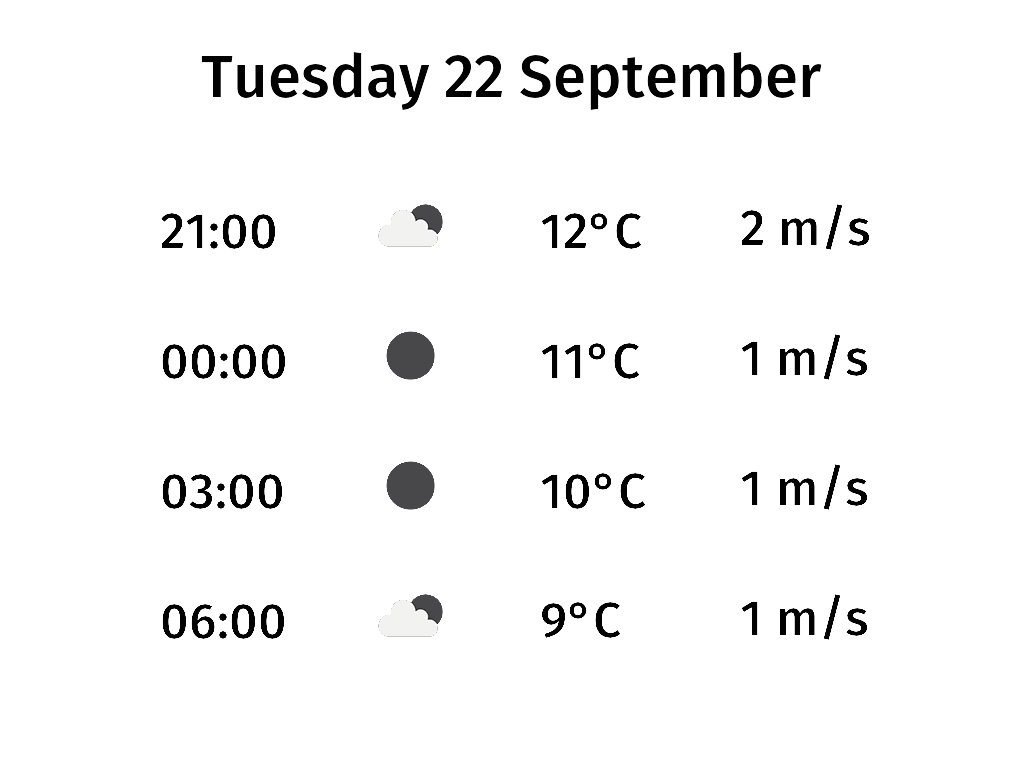
Shows the forecast for the next 9 hours in 3-hour steps, with an icon, temperature and wind speed for each.
It builds on date by adding a data source: the config’s sources: section defines a
source named weather, and the template reads it with source('weather').
The forecast comes from the Norwegian Meteorological Institute’s free yr.no API, so rendering needs an internet connection. No API key is required.
Files
weather.yml— the config. Changelat/lon/altitudeto your own location.weather.xml.jinja— the screen template. A Jinja macro,forecastRow, draws one row, and a<column>stacks four of them.
Try it
From the web/ directory:
CONFIG_DIR=examples/weather uv run todays_paper weather -s weather -o weather.png
-s weather renders the screen as of right now. Without it, the CLI uses the time the scheduler last
triggered the screen (e.g. 06:00 today), and yr has no forecasts for hours that have already passed.
Source
weather.xml.jinja
{% set weather = source('weather') -%}
{% macro forecastRow(hoursAhead) -%}
    {% set forecast = weather.nextHour(timestamp, (timestamp.hour + hoursAhead) % 24) -%}
    <box height="130">
        <text valign="middle" size="50">{{ forecast.timestamp.strftime('%H:%M') }}</text>
        <weather.icon x="200" valign="middle" icon="{{ forecast.icon.id() }}" />
        <text x="380" valign="middle" size="50">{{ forecast.airTemperature|round|int }}°C</text>
        <text x="580" valign="middle" size="50">{{ forecast.windSpeed|round|int }} m/s</text>
    </box>
{%- endmacro %}
<screen>
    <text align="center" y="40" size="60">{{ timestamp.strftime('%A %-d %B') }}</text>
    <column x="160" y="160">
        {{ forecastRow(0) }}
        {{ forecastRow(3) }}
        {{ forecastRow(6) }}
        {{ forecastRow(9) }}
    </column>
</screen>
weather.yml
# Shows today's weather forecast. Builds on date by adding a data source.

settings:
  timezone: Europe/Stockholm

sources:
  # A named data source. The template reads it with source("weather").
  weather:
    source: weather.yr
    params:
      # Your location. This one is central Stockholm.
      lat: 59.3293
      lon: 18.0686
      altitude: 20

screens:
  # Panel resolution. Use 1024x758 for an ED060XC3 panel, 1448x1072 for an ED060KC1 panel.
  width: 1024
  height: 758
  rotate: 0
  weather:
    template: weather.xml.jinja

scheduler:
  # Re-render a few times a day to keep the forecast fresh.
  - days: [1, 2, 3, 4, 5, 6, 7]
    hours: [6, 12, 18]
    screen: weather